
Apple store怎么预购iPhone13
编辑:月亮下载 | 更新时间:2023-05-23 04:30
iPhone13已结开放预购了,觉得官网预定过于麻烦的用户也可以尝试在Apple store中直接预定,操作更加方便简洁,下面就一起来看看Apple store怎么预购iPhone13吧。
Apple store怎么预购iPhone13
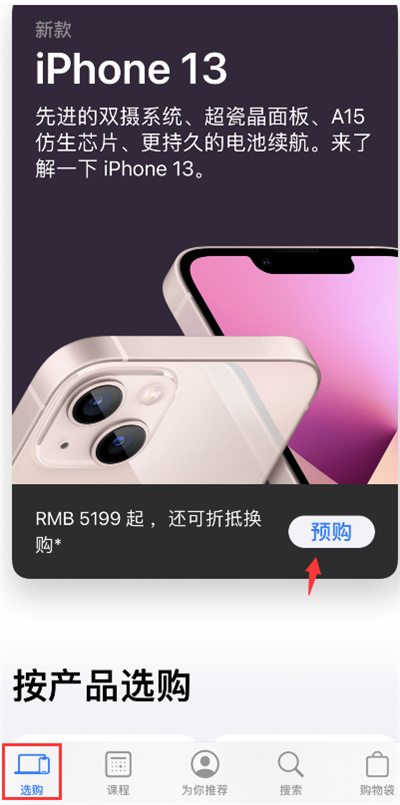
点击预购
在选购界面点击预购;
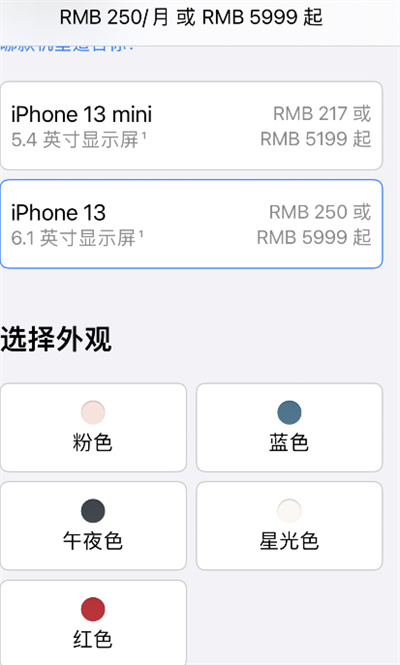
选择信息
选择自己想要的颜色、型号、尺寸大小等;
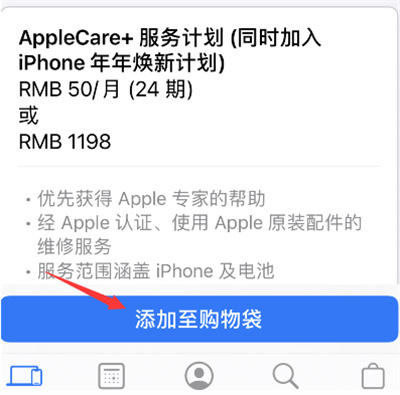
添加
点击添加至购物袋按钮;
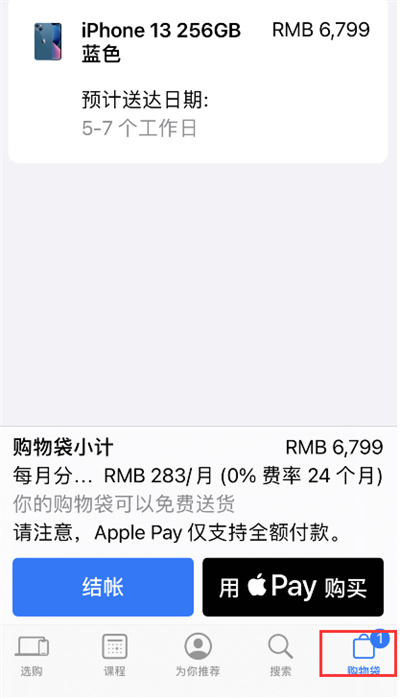
购买
然后在购物袋中直接购买即可;
总结
以上就是关于Apple store怎么预购iPhone13的教程。